

Platform Edition PadBox GS
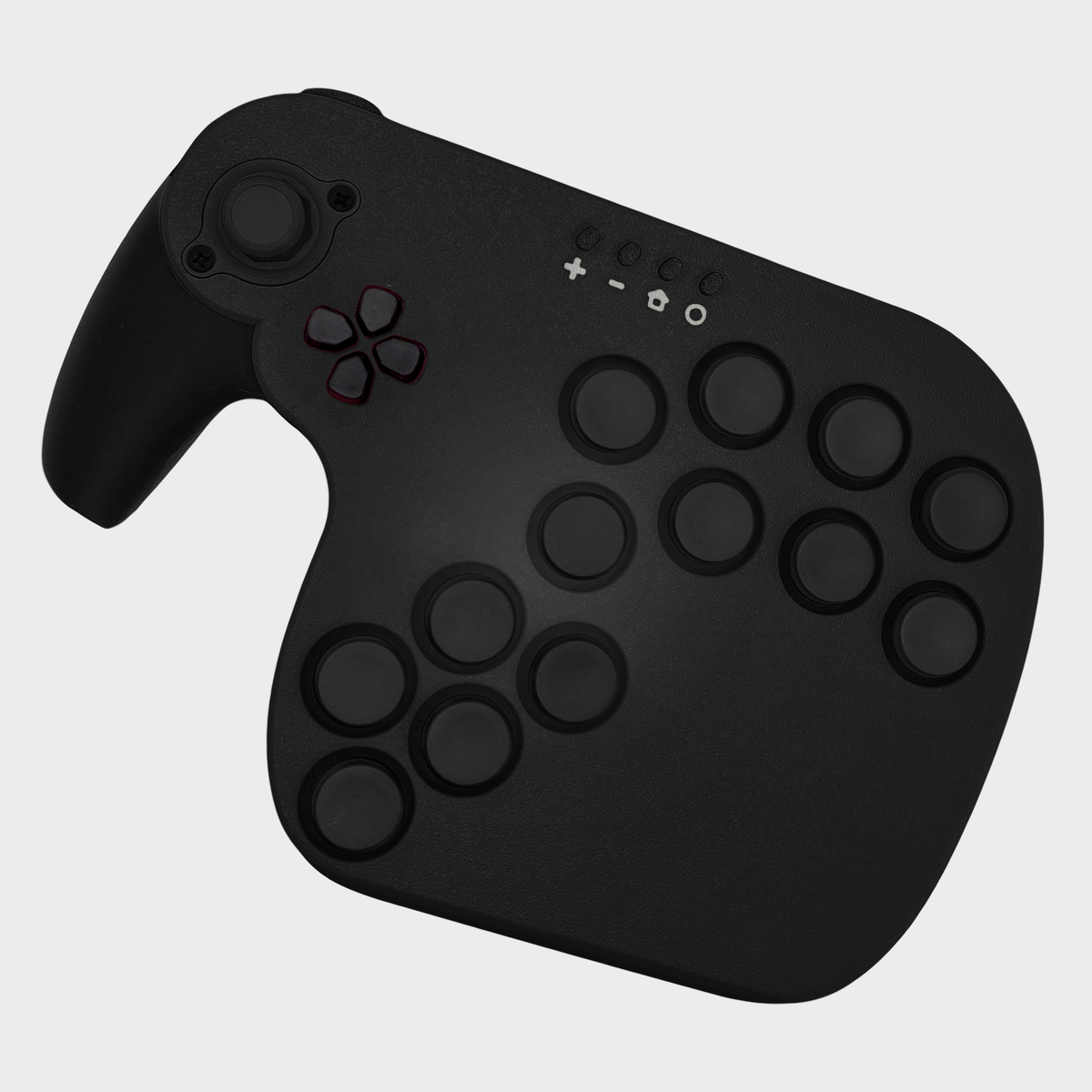
Asphalt Black / Split D-Pad / No Adapter
¥24,200
Sale price
¥24,200
Regular price
Skip to product information


Platform Edition PadBox GS
¥24,200
Sale price
¥24,200
Regular price


Free shipping to the US and Japan. U.S. prices include import duties, so there is nothing extra to pay at delivery.
Available for Preorder – Ships in approximately 3–5 weeks after purchase.
Read the detailed description →
PadBox GS – Platform Edition
Built for players who want full control. The PadBox GS Platform Edition is powered by Hoja2 firmware, offering native support for PC, Nintendo Switch, GameCube, N64, and SNES. Customize every input directly through a web browser—no software installation required.
Key Features
-
Powered by Hoja Firmware
Open-source firmware with full button remapping, joystick calibration, and input tuning via the PadBox Configurator. -
Modular D-Pad System
Choose a Split or Round D-Pad. A Joined D-Pad is also included. -
Mechanical Key Switches
Fast, tactile inputs with hot-swappable switches for easy customization. Comes preinstalled with Gateron G Pro 3.0 Silver. -
Comfort-Focused Ergonomics
Refined grip and optimized button layout to reduce strain during long sessions. -
Buttons
13 × 23 mm black button caps.
Materials & Finish
The PadBox GS is 3D printed using high-quality PLA plastic, making it lightweight yet durable.
Due to the nature of 3D printing, visible layer lines, slight texture variations, and minor cosmetic imperfections may be present. These are normal and do not affect performance or durability.
Compatibility
- PC
- Nintendo Switch / Switch 2
- GameCube
- N64
- SNES
- Android Devices
- Raspberry Pi
Extended Compatibility:
PS5 / PS4 → Wingman P5
Xbox → Wingman XB3
What’s in the Box
- 1 × PadBox GS Platform Controller
- 1 × USB-C Cable
- 1 × Extra Gate
- 1 × Joined D-Pad
- 1 × Split or Round D-Pad (depending on selection)
- Quick Start Card
Optional Add-ons:
Brook Wingman P5 (PS5 / PS4 support)
Brook Wingman XB3 (Xbox support)
Shipping
Each unit is made to order and ships once production is complete.
Import duties and taxes are paid by the customer on delivery (except the U.S., where they are included in the price).
Switch Firmware Anytime
Your Platform Edition ships with HOJA2, but you can change its firmware in about a minute, straight from your browser. Nothing to download, and you can switch back whenever you want.
- HOJA2 (installed): PC, Switch / Switch 2, GameCube, N64 and SNES.
- GP2040-CE: the popular open-source fightstick firmware, if you prefer its settings and input modes.
- PhobGCC: GameCube firmware for Melee players, with Phob stick calibration and snapback tuning.
How to switch:
- Open the PadBox Configurator in Google Chrome or Microsoft Edge on a computer.
- Plug in your PadBox and click CONNECT.
- Click Update firmware (top right), choose the firmware you want and click install. If your browser asks, pick RP2 Boot.
Switching resets your button and LED settings, so set them up again afterwards. After installing PhobGCC, calibrate the stick once (PhobGCC guide). Full details in the step-by-step guide, or see all firmware downloads.
Notes
- If you prefer the Joined D-Pad preinstalled instead of the Split version, include a note with your order or email us.
- This controller is wired only.
- Colors may vary slightly due to lighting and display settings.
Works with
- PC
- Nintendo Switch
- Switch 2
- GameCube
- N64
- SNES
- Android
- Raspberry Pi
Complete your build


